Leap Scholar / IELTS app feature
Designing Cuecard practice for IELTS speaking.
A mobile practice flow that helps IELTS students prepare, speak, and review Cuecard answers with less confusion.
Context
Cuecards are simple, but stressful.
In IELTS Speaking Part 2, students get a topic and a short time to prepare. Then they need to speak on their own without stopping too early.
The goal was to make this practice feel less scary. The feature needed to show the topic clearly, support timed practice, and help students understand what to improve after each attempt.
Students get stuck
Many students know English, but freeze when they have to speak alone for two minutes.
The format is strict
Cuecards need quick thinking, a clear story, and enough points to keep speaking.
Practice needs structure
The feature had to guide students without making the screen feel heavy.
Design focus
Keep the screen calm while the task feels timed.
Make the cuecard easy to read at a glance.
Help students use their prep time well.
Keep recording and speaking states clear.
Make review feel useful after the attempt.
Feature walkthrough
The key screens in the practice flow.
These are the screens that carry the main experience: find the practice, choose a topic, check audio, prepare, speak, and review feedback.
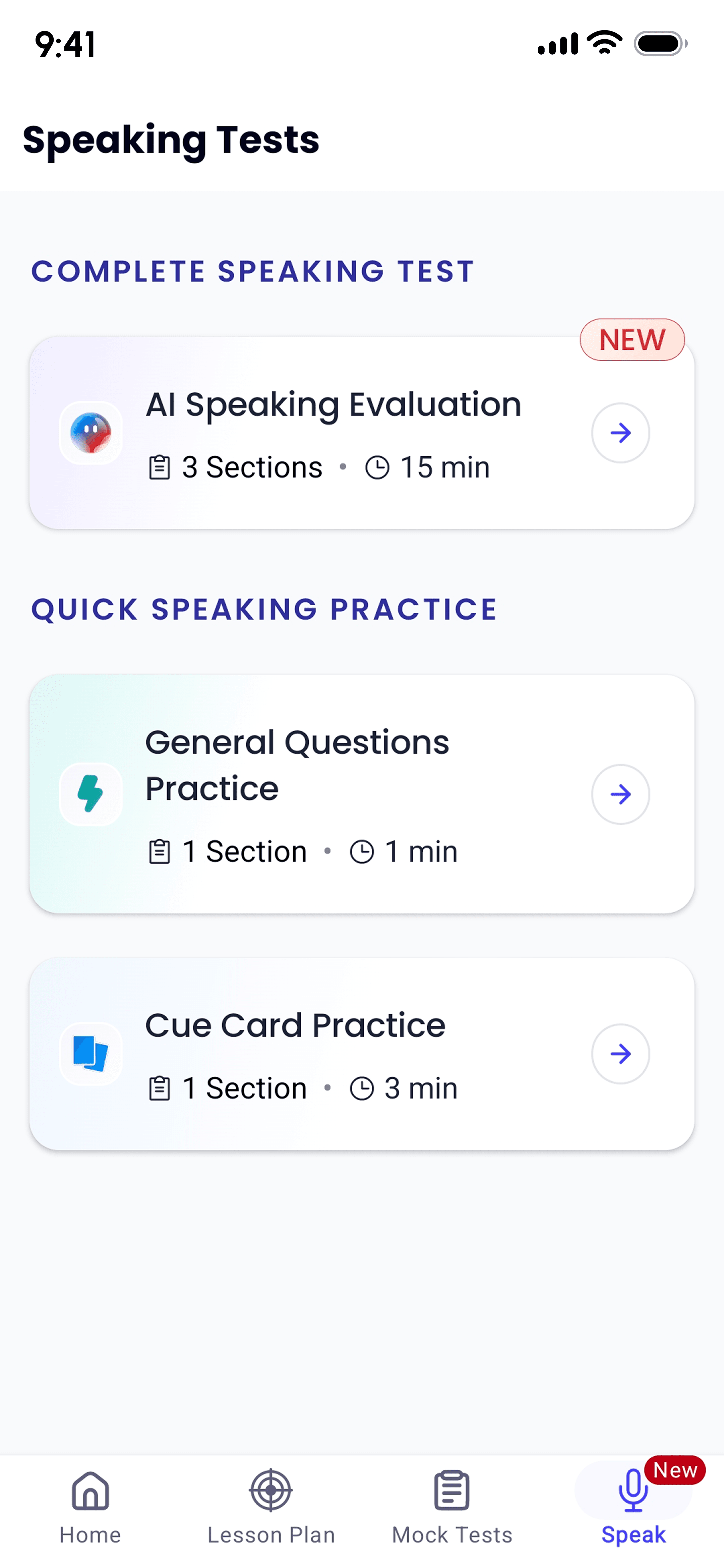
A clear entry point inside Speaking
The Speak tab separates the full speaking test from quick practice, so Cue Card Practice is easy to find.
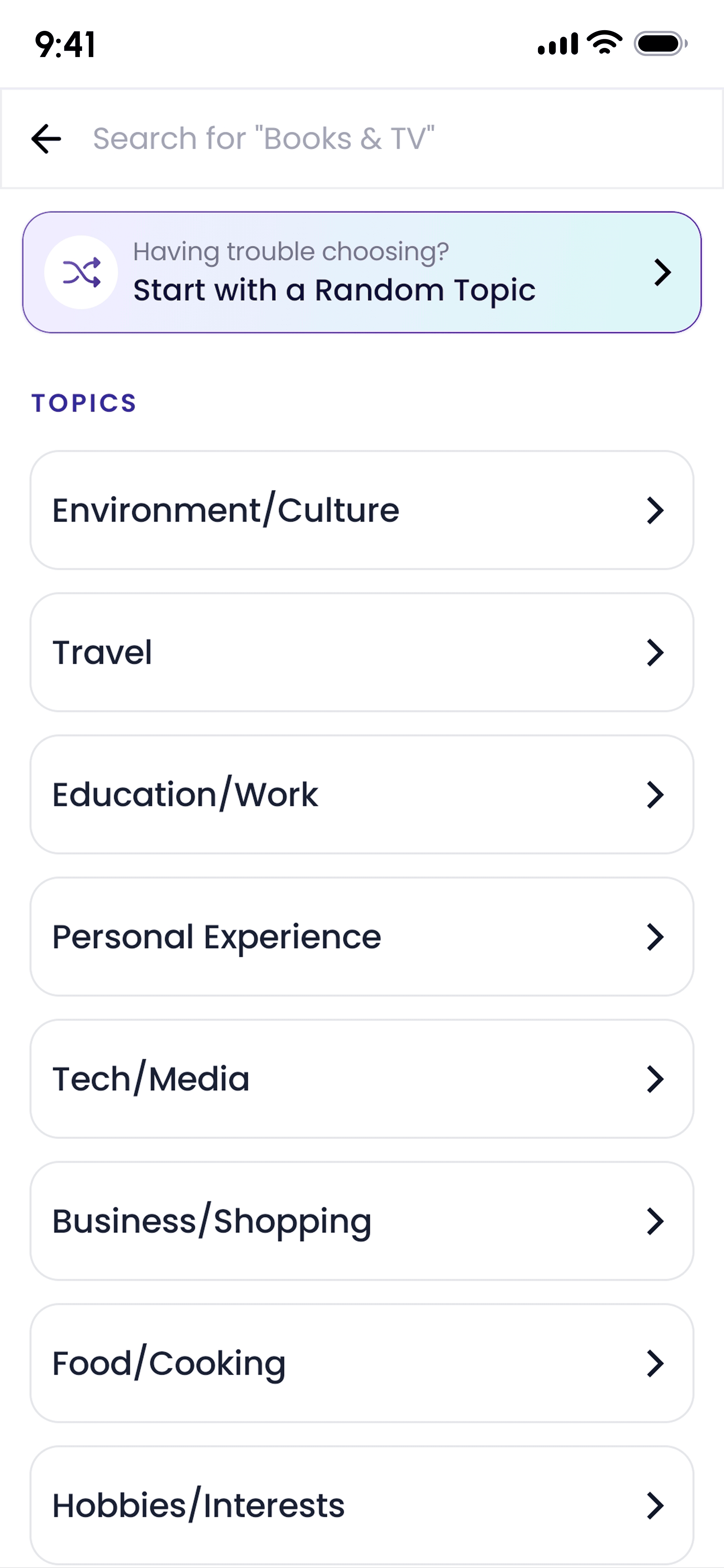
Topic selection without pressure
Students can choose a topic category or start with a random topic when they are not sure what to practise.
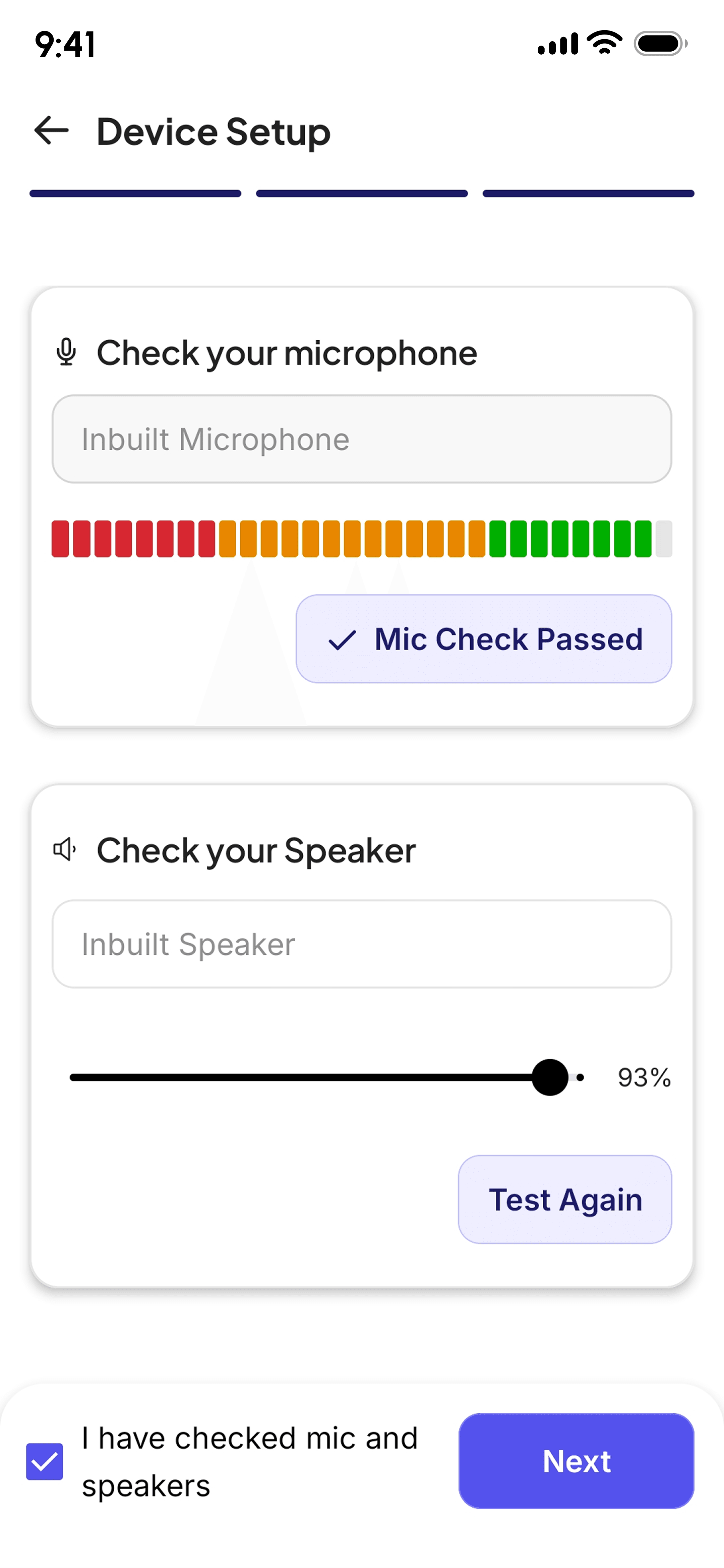
Audio check before speaking
A quick microphone and speaker setup helps avoid failed recordings before the student starts the test.
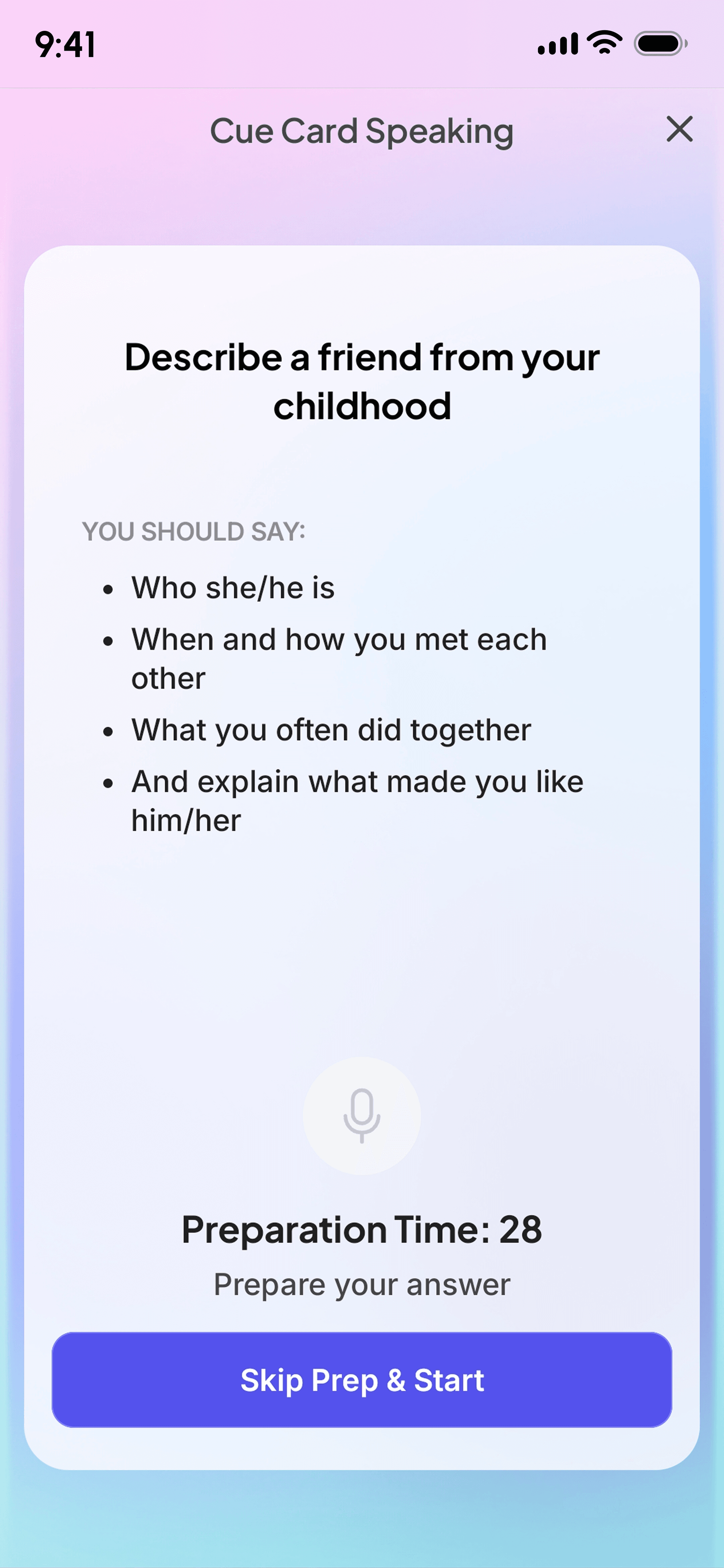
Timed preparation
The cuecard prompt stays visible with points to cover, while the timer makes the practice feel close to the real exam.
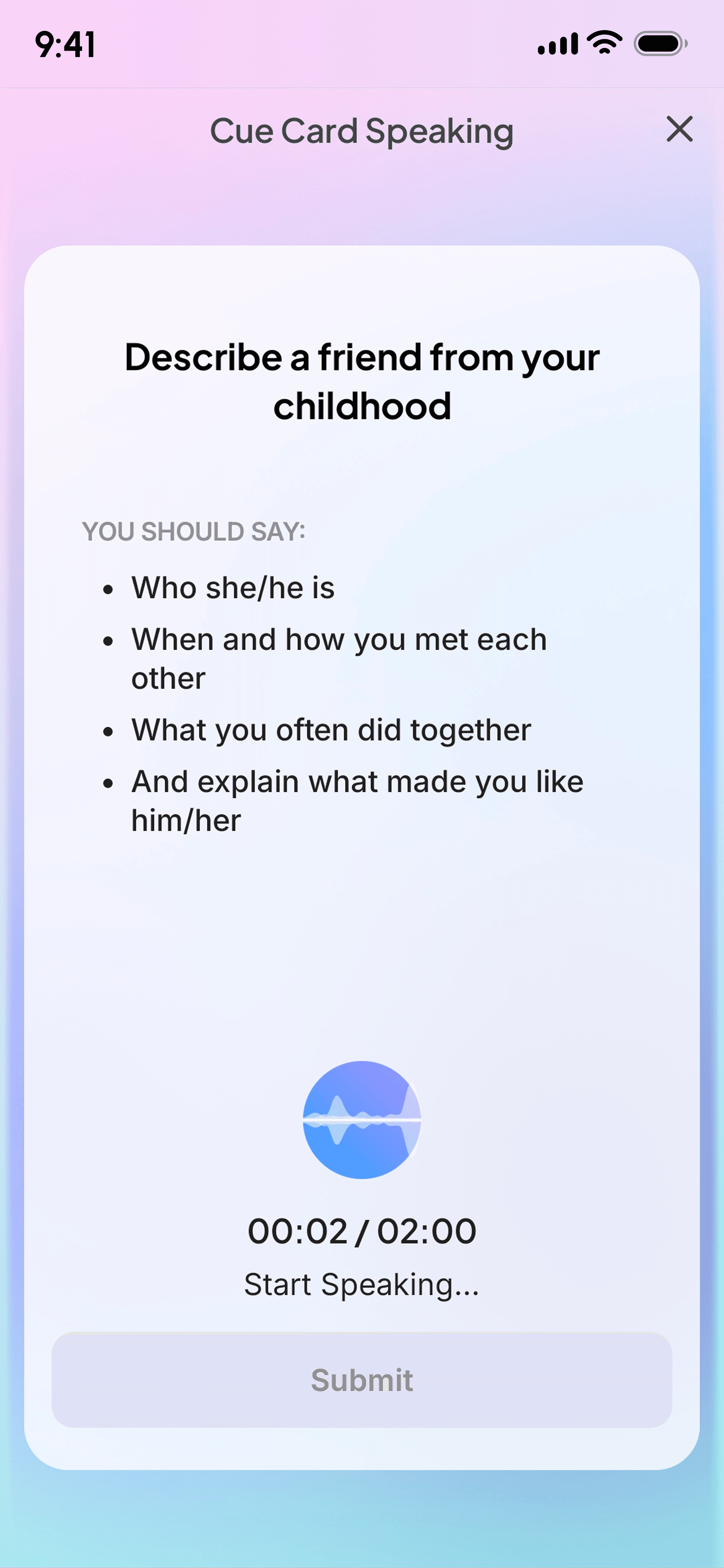
Simple recording state
Once speaking starts, the screen keeps the prompt, timer, recording state, and submit action clear.
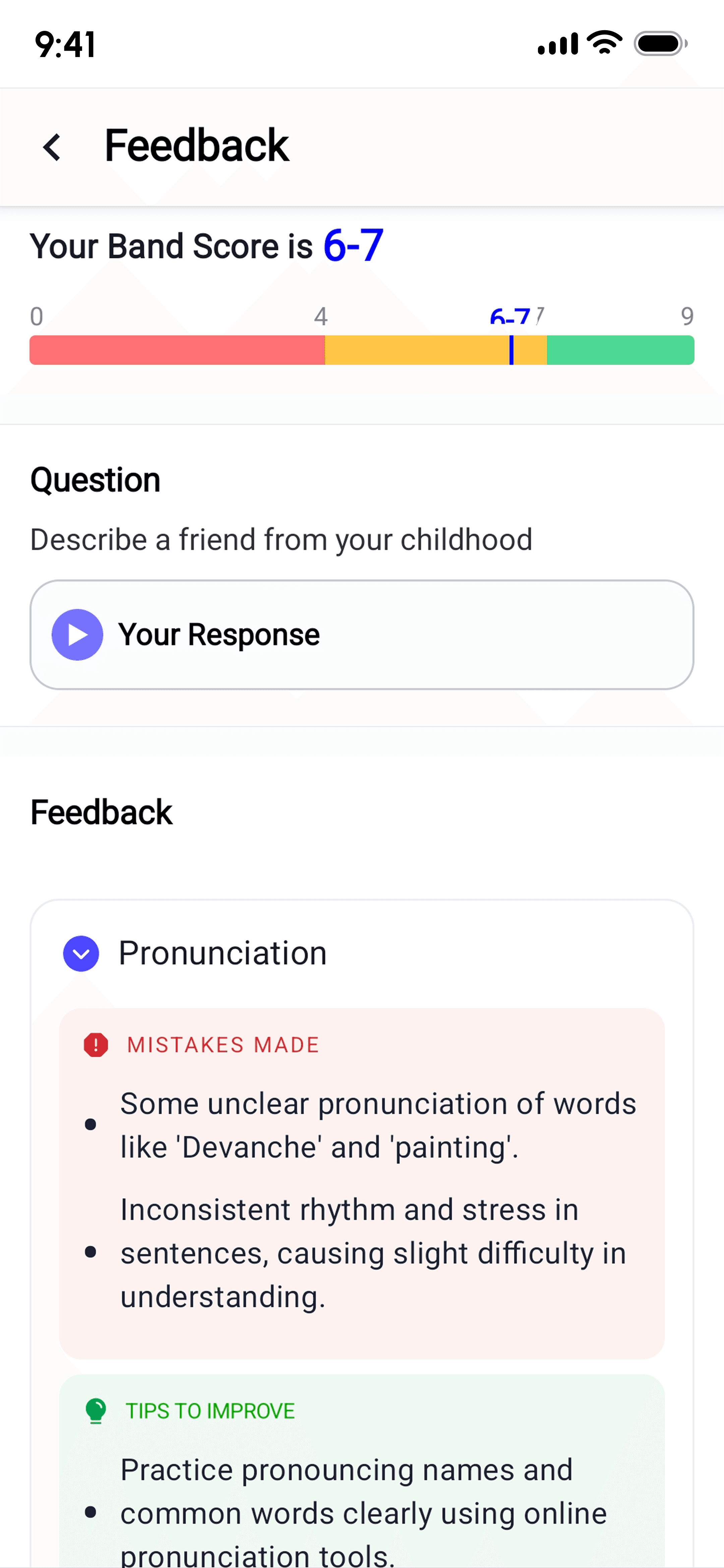
Feedback that students can act on
After the attempt, students see their band range, hear their response, review feedback, and compare with a stronger answer.
Flow
From topic to review.
1
Student chooses a cuecard topic.
2
They get one minute to prepare their answer.
3
They speak and record their response.
4
They review the attempt and understand what to improve.
What this solved
Students got a clearer way to practise the hardest part of speaking prep.
The feature turned Cuecard practice into a simple step-by-step flow: read, prepare, speak, and review.